Y TECHNOLOGIES · AI OPERATIONS

Make AI part of
everyday work.

From employee guidance to customer acquisition and CRM automation. AI adoption and operations built around your current workflows.

You do not need to have selected a tool or defined a development project.

AI-generated illustration of teachers reviewing a laptop and training materials
AI-generated illustration · not actual staff or customers
01 / AI Concierge

Learn together ↗

Training + one-to-one review

AI-generated illustration of two people discussing work at a laptop
AI-generated illustration · not actual staff or customers
02 / AI Concierge

Stay connected ↗

Chat + practical update notes

AI-generated illustration of a plain document folder being handed across a desk
AI-generated illustration · not actual staff or customers
03 / AI Concierge

Make it usable ↗

Reviewed drafts + workflow design

01 / TRY THE WORKFLOW

From a question to something you can review.

Interactive reconstruction using fictional data. These screens do not call a live integration.

Input

A weekly operations report

Fictional operations data: 12 completed items, 3 awaiting review. No personal or customer names.

What is implemented, and what is a sample?Implementation evidence: local code and synthetic tests exist for research-to-draft, weekly HTML/PDF reports, and multilingual post/image preparation with approval gates. Live integrations are not validated. This walkthrough is a reconstruction, not a recording of those systems.

02 / LEARN, DISCUSS, TAKE ACTION

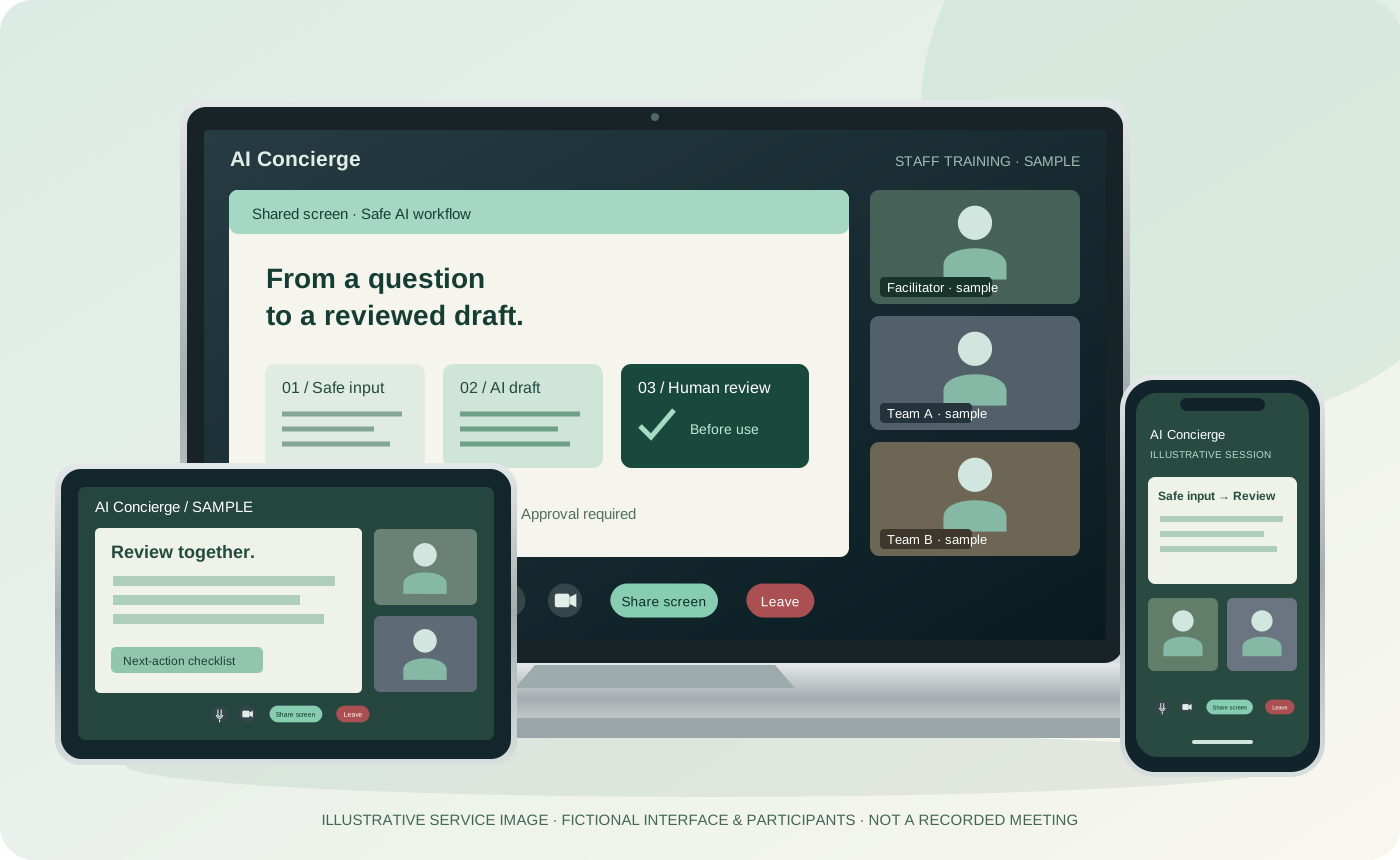
Illustrative laptop, tablet and phone showing a fictional AI Concierge training conference with shared slides and sample participants
Original illustrative service image. Fictional interface and participants; not a real meeting, customer or platform endorsement.
MOCK TRAINING PLAYER

Staff training, made concrete.

AI Concierge / SAMPLE

01 · Remove sensitive data

Fictional operations data: 12 completed items, 3 awaiting review. No personal or customer names.

Text-based lesson storyboard, not a recorded training video. Learn research, editing preparation and analysis; a finished-video production pipeline is not promised.

SAMPLE CONSULTATION

One hour. A written next step.

  1. 00–15 Clarify one workflow
  2. 15–40 Review a safe example together
  3. 40–60 Agree owner, checks and next action
Sample takeaway: workflow map + reusable prompt + review checklist + next-action note.

Advisor includes a monthly one-hour individual consultation. Higher-tier meeting duration and output quantities are agreed separately.

03 / BETWEEN MEETINGS

Useful updates, with a next step for your team.

# ai-updatesFictional conversation
AC
AI Concierge / Advisor

Before using a new AI workflow

Keep sensitive data out, mark unknown facts, and put human review before sharing.

Why this matters for your team

A weekly report must distinguish missing data from completed work.

Try one fictional example with this checklist ↗
T
Team member · sample

What should we do with a detail we cannot verify?

Ongoing advisory: questions → reusable checklist → next consultation. Availability and scope agreed before contract; no messaging-platform integration is promised.

See what the support can leave behind.

AI Concierge / ILLUSTRATIVE OUTPUT

Review checklist

  • ✓ Approved input only
  • ✓ Facts checked against sources
  • ✓ Human sign-off before sharing

What you take away

An editable outline to review together, not a claimed customer deliverable.

Advisor and above: consultation/training takeaways within agreed scope.

Review scope and commitment →

04 / HIGHER-TIER PRODUCTION SUPPORT

A page that connects the message to the next action.

AI Concierge / CONCEPT WIREFRAME

One clear service promise

Audience → explanation → evidence → enquiry

AI-assisted LP / homepage creation

Higher-tier support includes product/service page creation. Agree requirements, content review, revisions, hosting and delivery scope before starting. This wireframe is a concept, not a promised finished design.

Value comes from continuity across training, decisions and reviewed outputs—not a universal claim of lower bundle pricing.

A PRACTICAL TAKEAWAY

Repetitive-task automation planning worksheet

An original, reusable worksheet—not a personalised audit. Preview its outline below; after a successful enquiry you can open or download the full guide here on the site. No additional email subscription.

What is inside?
  • A safe input checklist
  • A reusable prompt and fictional example
  • Human review, exceptions and a next-step worksheet
Enquire and receive the free guide
01 / YOUR WORK

Start with the work you repeat.

Enquiries, documents and sales information. Separate the tasks AI supports from those people review.

Enquiries and replies take up the day

Enquiry handling

Enquiries are organised by subject and sent to the appropriate staff member. Draft replies can be prepared for review before sending.

The same information goes into multiple documents

Document preparation

Draft quotations and reports are created from the information entered. Staff remain responsible for checking amounts and content.

Follow-up relies on individual memory

Sales administration

Prospect details, previous communications and follow-up dates are organised in one workflow. We also support reminders and email drafting.

Illustrative support examples, not customer case studies or guaranteed outcomes. Scope is confirmed in the quotation.

02 / SCOPE & OUTPUT

From advice to preparation for practical use.

Policies, training and systems. Combine the support needed for your current workflows and team.

View support by plan

AI tool selection and usage policies

We review your intended use and the information involved before recommending tools and working practices. We define what may be entered, which outputs require review and how access and use will be managed.

Staff training and practical guidance

Training uses examples from your team's work, such as document preparation, research and drafting. We cover operation, output checking and information handling.

Searching internal documents

We identify the relevant manuals, policies and past documents, together with the required access permissions. We then build a search environment for finding the information staff need.

Sales and administrative automation

We automate tasks such as data transfer, drafting and staff notifications. Actions that affect external parties, including sending emails and confirming quotations, include review and approval steps.

Ongoing support and review

Under ongoing support arrangements, we review usage and staff questions, then adjust settings, procedures and training materials.

WHAT YOU RECEIVE

Agree the outputs and configuration in advance.

  • Workflow inventory
  • AI usage policies
  • Training materials
  • Automation configuration
  • Operating procedures

Examples depend on the agreed support scope. Outputs and configuration are specified in the quotation.


03 / HOW WE WORK

Understand the work. Agree scope and cost.

Begin with your current tasks and clarify both our work and your responsibilities.

  1. We review your current work

    We ask about the people involved, the tools you use, your working procedures and the problems you are facing. Where needed, we also review your existing documents and screens.

  2. We propose the scope and cost

    We define the work, deliverables, schedule and fees. We also explain what your team will need to do and which tasks are outside the proposed scope.

  3. We implement and support the work

    We carry out the agreed development, configuration, document preparation and training. Reviews and improvements after implementation are provided within the contracted scope.

Y Technologies also develops and improves INORA, its internal system supporting its own workflows.

About the company and its work

Pricing

Compare three monthly plans by meeting frequency and support, from adoption to implementation and ongoing operations.

Compare plans

Ongoing support

Ongoing Advisory

AI Advisor

1,200USD (excluding tax)

per month

Minimum contract term: 3 months

Three-month base, excluding tax: USD 3,600

Purpose
Support for internal AI adoption
Who it is for
Businesses seeking internal AI adoption

Support scope

  • One meeting per month
  • Joint training for AI adoption
Discuss ongoing support
CAIO support

CAIO Pack

6,500USD (excluding tax)

per month and up

Minimum contract term: 3 months

Three-month base, excluding tax: USD 19,500+

Purpose
Engage an AI consultant like a part-time team member
Who it is for
Businesses seeking sustained AI operations

Support scope

  • At least one meeting per week
  • Joint training
  • Ongoing AI consulting for full-scale operations
Discuss CAIO support

Compare plans

Scroll horizontally to view the full comparison.

Compare plans
PlanAI AdvisorAI Management PartnerCAIO Pack
Monthly price (excluding tax)1,200 USD (excluding tax)
per month
2,400 USD (excluding tax)
per month
6,500 USD (excluding tax)
per month and up
Minimum contract term3 months3 months3 months
PurposeSupport for internal AI adoptionSupport from consultation through implementationEngage an AI consultant like a part-time team member
Who it is forBusinesses seeking internal AI adoptionBusinesses ready to implementBusinesses seeking sustained AI operations
MeetingsOnce a monthTwice a monthAt least weekly
Joint trainingIncludedIncludedIncluded
Implementation examplesPlease enquireCustomer acquisition and CRM automation; product or service landing pagesPlease confirm the scope
Ongoing involvementSupport for internal AI adoptionSupport from consultation through implementationEngage an AI consultant like a part-time team member

Claude Code & Codex specialist training

Developer Training

Claude Code & Codex Pack

1,200USD (excluding tax)

one-off training

Purpose
Advanced Claude Code training
Who it is for
Learn advanced uses of Claude Code

Support scope

We explain the specific services and scope during your consultation.

Discuss Claude Code & Codex training
05 / QUESTIONS

Frequently asked questions

Can you help if we already use AI?

Yes. We can review your current use, update your usage policies and identify other tasks where AI may be useful.

Will we need a new system?

Some requirements can be addressed by changing the settings of existing tools or reviewing working procedures. We decide whether development is needed after reviewing the work.

Will every task be automated?

We separate automated tasks from those requiring human judgement or approval. Actions such as setting prices or sending information externally are not automated without the necessary checks.

LET’S TALK

Tell us about one task that takes too much time.

You can start with a specific task, such as daily data entry, recurring documents or work that requires lengthy checking.

Discuss your workflow